


Introduction
You have already launched advertising, the budget is spent every day, but the number of sales is far from expectations. Does this situation sound familiar?
Stop for 10 minutes and read this text. Because it contains specific steps that we at Atlant Digital use in our daily work to identify the weaknesses of advertising campaigns and understand why the result is not “shooting”.
This is not a theory from a textbook, but a real practical audit – understandable even to those who have launched advertising on their own and have basic experience.
You will learn:
- how to check if your ads are leading to sales, not just clicks;
- how to find the point where your budget is “leaking”;
- how to quickly boost your performance without complicated tools.
👉This checklist will help you see in 30–60 minutes your mistakes that cost you money every day. Even if you are not an expert. Even if you are running ads for the first time.
Let’s go?
🔎Who is this checklist for?
✔️For entrepreneurs who want to test their advertising.
✔️ For marketers who want to quickly find a “weak spot”.
✔️ For those who are preparing to hand over a project to an agency — and want to prepare.
Step 1: Check if the campaign goal is set up correctly
Why this is:
The Facebook or Google algorithm optimizes for what you tell it. If the goal is traffic, it will bring people who like to click. But don’t buy.
What to check:
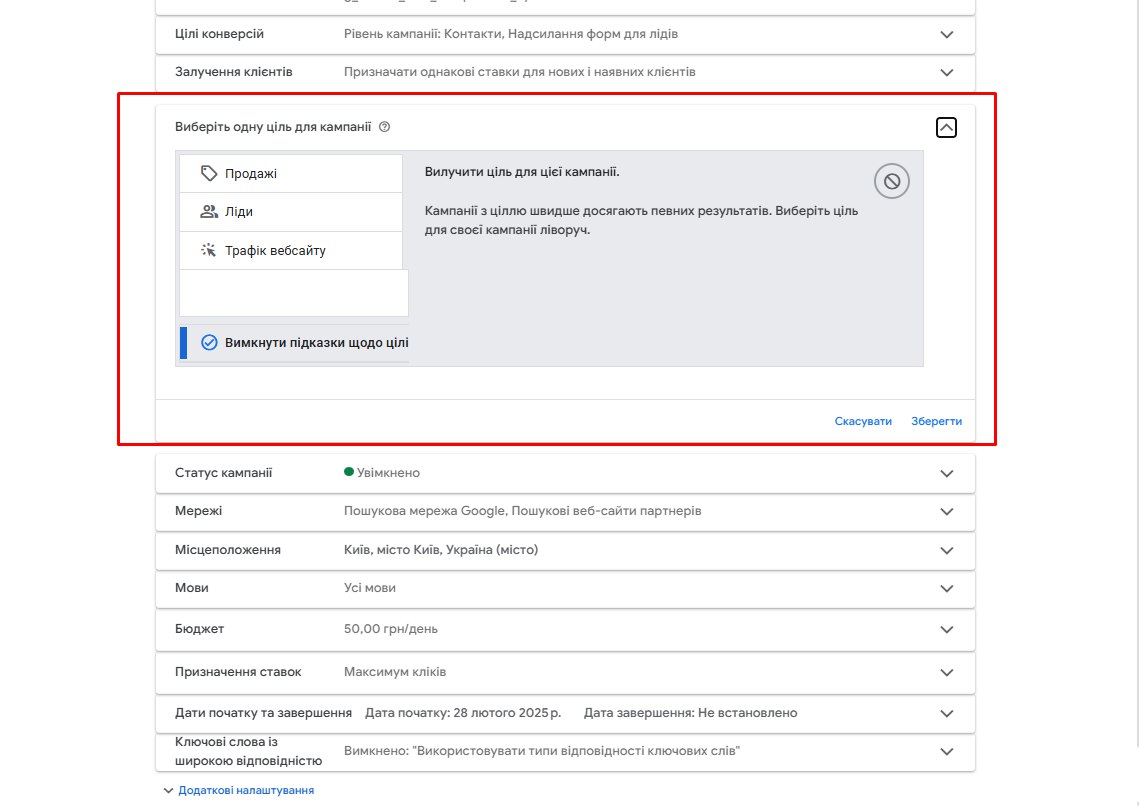
- In Meta Ads or Google Ads, the campaign settings have the goal “Conversions” / “Sales”, not “Traffic” or “Engagement”.
- Events to track (e.g. purchase, lead) are set on the website.
How to check:
- Google Tag Assistant (Chrome extension) – will show whether events are being sent to analytics.
- Meta Events Manager — check if the pixel is active and if there are events.
- In Google Ads → Tools → Conversions — are the required conversions set up?
💡Choose “Sales” or “Leads” if you want your ads to bring results, not just conversions.

Step 2. Assess who you are really targeting
Why:
An ad can be perfect, but if it’s shown to the wrong audience, it’s useless. Your target audience is everyone.
What to check:
- What interests/behaviors/segments have you chosen for targeting?
- Is there remarketing (i.e. repeated advertising for those who have already been to the site).
- Are you using lookalike, similar audiences?
How to check:
- In Meta Ads Manager → review audience settings in each campaign.
- In Google Ads → review audience segments in Display or PMax campaigns.
- For remarketing: check if Google Analytics and Facebook Pixel are connected and if audiences are created based on them.
Tools:
- Audience Insights Meta
- Google Analytics 4 → Reports → Demographics → Traffic Sources
Step 3. Analyze your offer
Why is this:
Advertising without a strong offer is empty advertising. If the user does not understand what you are offering and why right now, he will not click. Or he will click and forget.
What to check:
- Does the offer solve a specific problem for the customer?
- Is there a benefit: saving time, money or nerves?
- Is there a clear call to action? (“Get a consultation”, “Buy with a discount”)
How to check:
- Read the ad copy and landing page out loud: would you buy?
- Check Meta Ad Library or Swipefile.com to see what competitors’ offers look like.
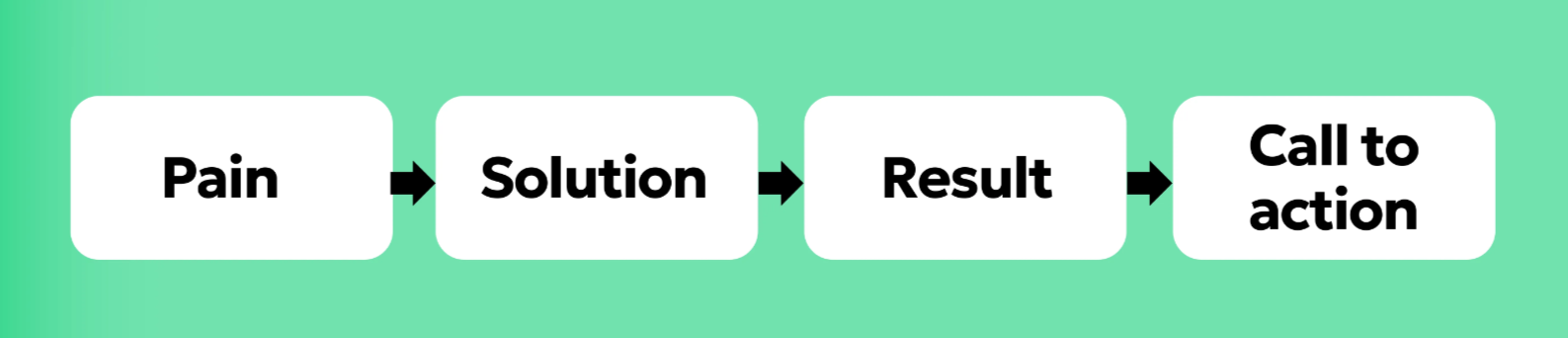
Framework:
Step 4. Check the creatives: do they stop or fly by?
Why:
The first 2 seconds are everything. If the creative isn’t catchy, the ad won’t even get a chance to explain how cool it is.
What to check:
- Are the videos or banners emotionally engaging? (surprise, laughter, pain)
- Have you tested at least 2–3 options? (video, carousel, banner)
- Is there text/subtitles in the video (especially for Reels)?
How to check:
- Meta Ads Manager → Breakdowns → By Creative.
- В Google Ads → переглянь звіт по оголошеннях: CTR, конверсії.
Tools:
- Canva for creating simple creatives.
- Lumen5 / InVideo for videos without an editor.
- Previewed.app — for Instagram ad layouts.
Step 5. Evaluate campaign structure and bids
Why is this:
Too many campaigns or too little budget — the algorithm doesn’t have time to learn. This leads to unstable results.
What to check:
- Are you duplicating campaigns with the same offer?
- On Facebook: are you using Advantage+ or CBO (Campaign Budget Optimization)?
- On Google: what is your bidding strategy — maximize conversions, manual, ROAS?
How to check:
- In Meta Ads Manager → review account structure.
- In Google Ads → campaign settings → Bidding Strategy.
Recommendation:
💡 It’s better to have 1 campaign with a good budget and tests than 5 identical ones with a $2/day limit.
Step 6. Check analytics
Why is this:
Without analytics, you won’t see which ads are working and which ones are just eating up your budget.
What to check:
- Does GA4 collect all events (e.g. purchase, request)?
- Are events imported into Google Ads?
- Are ads displayed in CRM (and can I see the quality of leads)?
How to check:
- Google Analytics 4 → Debug View → see if events are being recorded.
- Google Ads → Tools → Conversions → see conversion sources.
- Meta Events Manager → pixel and server event status.
Step 7. Check the page or landing page
Why this is:
The ad can be perfect, but if the page takes 7 seconds to load or looks like an email from 2005, the customer will close it in an instant.
What to check:
- Does the page load in <3 seconds? (especially on mobile)
- Is there a clear headline that backs up the ad promise?
- Is the CTA (call to action) prominent, simple, and close to the beginning?
Tools:
- PageSpeed Insights — speed test.
- Hotjar or Microsoft Clarity — recording user behavior.
- Mobile-Friendly Test from Google
Useful tools for self-audit
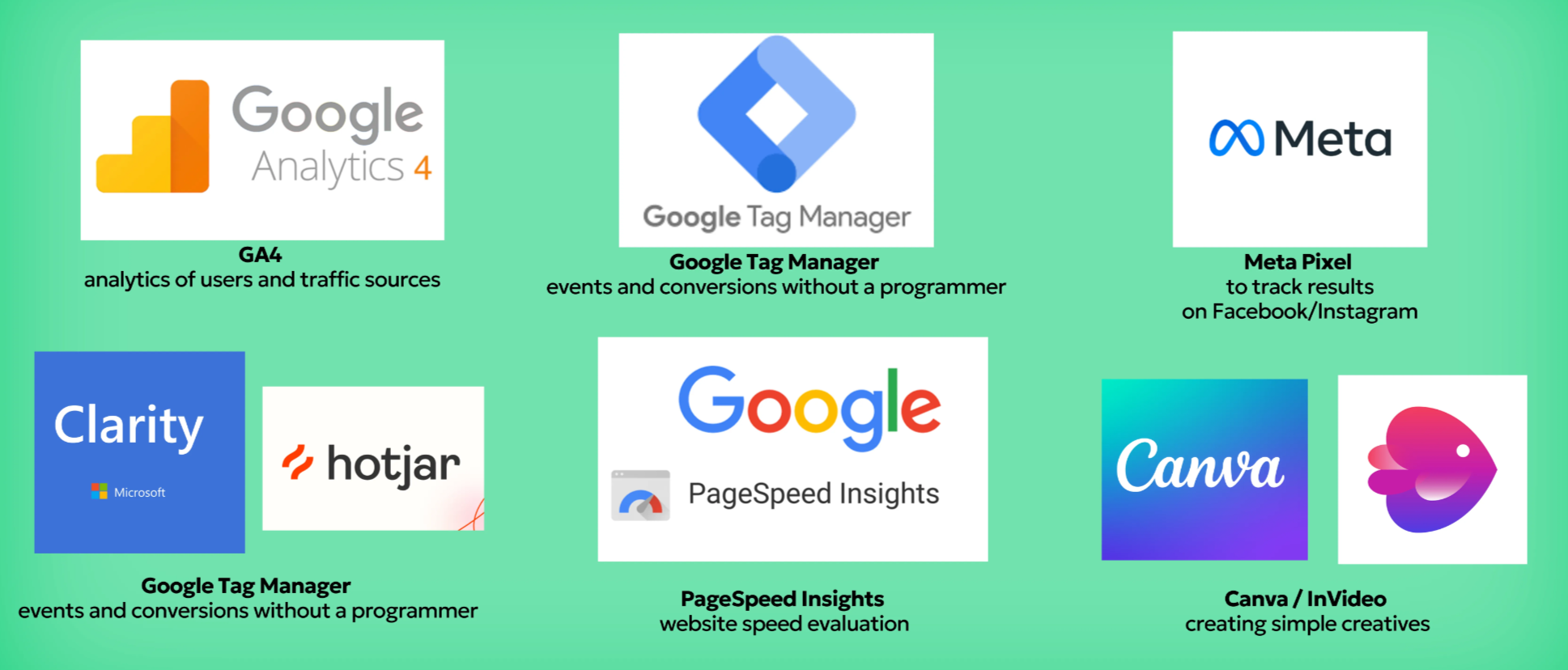
You don’t have to be a techie to go through this checklist. Here’s a set of free tools that will help you do it yourself:
📌 All of these services are free or have a free plan — so there’s nothing stopping you from getting started right now.
Result
This checklist is your quick X-ray of your campaign. It won’t replace in-depth analytics, but even at this level you can identify critical errors that drain 20–50% of your budget.
If you have doubts about even 2–3 steps, it means your advertising has potential for improvement.
📩 If you want to not just check, but fix errors, leave a request.
At Atlant Digital, we launch and optimize campaigns every day that sell. Not just collect clicks.